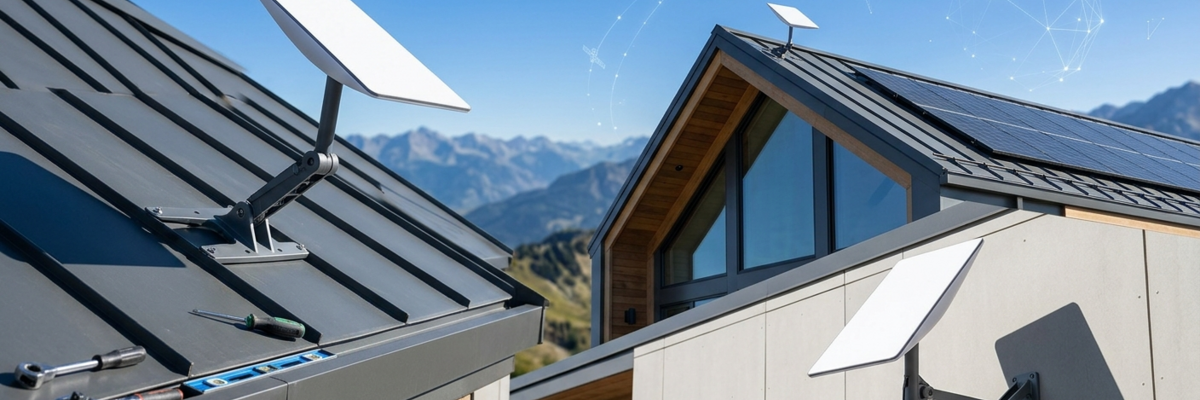
Even the best Starlink terminal will operate unstably if installed improperly. Your mounting location and bracket choice determine internet speed, the frequency of dropouts, and whether the terminal survives winter winds. Here is how to choose the right location and mount for Starlink Standard and Mini.
Step 1. Choose a Spot With an Unobstructed View of the Sky
The terminal needs a wide, clear view of the sky. Trees, neighboring buildings, masts, and even branches that will leaf out in spring cause obstructions and brief connection dropouts.
- Check the location using the Starlink app — it includes a built-in obstruction checker tool.
- The best spots are a roof or the upper section of a facade.
- Avoid areas where snow and ice accumulate in winter.
Step 2. Select the Mount Type
Pivot Mount — for roofs and horizontal surfaces. A pivot mount lets you secure the terminal and adjust its tilt even on a sloped roof. It is suitable for offices, warehouses, and private homes with roof access.
Wall Mount — for building walls. A wall mount extends the terminal out from the facade. This is the right solution when roof access is difficult or the roof structure is unsuitable for mounting.
Mounts are made separately for Starlink Standard and Starlink Mini, so make sure to match your terminal model. All options are listed in the Starlink accessories section.
Step 3. Vehicles Are a Separate Case
Installing a Starlink Mini X or Mini on a vehicle requires a protective automotive case and a 12–24V power adapter. The case shields the terminal from impacts and dirt, while the adapter lets you power it from the vehicle's electrical system. Read more about power options in the article "Powering Starlink Mini".
Common Installation Mistakes
- Partial obstructions. Even a single tree in the field of view causes regular dropouts.
- Loose mounting. A terminal that sways in the wind loses signal and wears out faster.
- Pulled or taut cable. The cable should run freely without sharp bends or tension.
- "Temporary" setups. Placing the dish temporarily on a windowsill or chair often becomes permanent — resulting in permanently unstable connectivity.
For Sites Requiring 24/7 Operation
If the terminal runs continuously in harsh conditions, consider the heavy-duty Starlink Performance Gen 3 models with IP67 protection. For offices and retail stores, Starlink Standard V4X or V4 is sufficient.