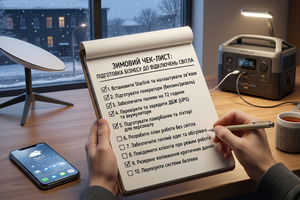
Power outages are no longer a force majeure event — for most companies, this is a regular situation that requires preparation. A power station allows you to keep working without interruption: keeping your router, cash register, computers, and lighting running. However, for the station to truly help, it needs to be chosen correctly. Here is how to do it without extra costs.
Two Main Parameters: Capacity and Power
Capacity (Wh) is the energy reserve. It determines how long the station can power your equipment.
Output Power (W) is the maximum load the station can handle simultaneously. It determines which specific appliances you can connect.
A typical mistake is looking only at capacity. A 2 kWh station with a 700 W power output will not run a coffee maker or a microwave, even though it has enough energy.
Step 1. Make a List of Equipment
Write down everything that needs to run during an outage and the estimated power consumption of each device:
- router — 10–15 W;
- Starlink Mini terminal — approximately 25–40 W, stationary terminal — 50–100 W;
- laptop — 40–60 W;
- computer with monitor — 150–250 W;
- POS terminal and cash register — 20–50 W;
- LED lighting — 10–20 W per fixture;
- refrigerated display case — from 150 W and above.
Exact consumption is indicated on the appliance housing or in its manual.
Step 2. Calculate the Required Capacity
The formula is simple: total load (W) × hours of operation ÷ 0.85. The 0.85 coefficient accounts for energy conversion losses in the inverter.
Example for a store: router (15 W) + cash register & terminal (40 W) + 4 lights (60 W) = 115 W. For 8 hours of operation: 115 × 8 ÷ 0.85 ≈ 1080 Wh. A 1–1.5 kWh station will suit this need, for example, EcoFlow DELTA 3 Plus or BLUETTI AC180P.
Example for an office with 3 workstations: 3 computers (600 W) + router and Starlink (80 W) = 680 W. For 4 hours: 680 × 4 ÷ 0.85 ≈ 3200 Wh. A high-capacity station is needed here — EcoFlow DELTA Pro 3 at 4096 Wh — or two 2 kWh stations.
Step 3. Check the Power Output
Add up the power of all appliances that will run simultaneously and add a 20–30% safety margin. For the office example (680 W), a station with an output of 1000 W or more is sufficient. If the list includes heating appliances (kettle, coffee maker, microwave), aim for stations starting from 1800 W.
Step 4. Pay Attention to Battery Type and UPS Mode
For daily use, choose stations with LiFePO4 batteries: they endure significantly more charge-discharge cycles than standard lithium-ion ones and are considered safer. All models in our power stations catalog feature LiFePO4.
If your equipment cannot afford a reboot (server, cash register, CCTV), look for a station with UPS mode: when voltage drops, power instantly switches to the battery, keeping your tech running seamlessly.
Which Station to Choose: Quick Cheat Sheet
- Up to 1 kWh — router, Starlink terminal, laptops, cash register: BLUETTI AC70, EcoFlow DELTA 3.
- 1.4–2 kWh — small store or office: EcoFlow DELTA 3 Max, Anker SOLIX F2000, BLUETTI Premium 200 V2.
- From 4 kWh — backup power for a facility: EcoFlow DELTA Pro 3.
Bulk Purchasing for Multiple Locations
If you are outfitting a chain of stores or branches, it is more profitable to buy identical stations in batches: it simplifies maintenance, staff training, and accounting. Smart Trade Electronics supplies power stations wholesale with VAT — complete with invoices and documents for legal entities. Send our manager your equipment list, and we will select the right model and quantity for your load.